

Sessions and harness access
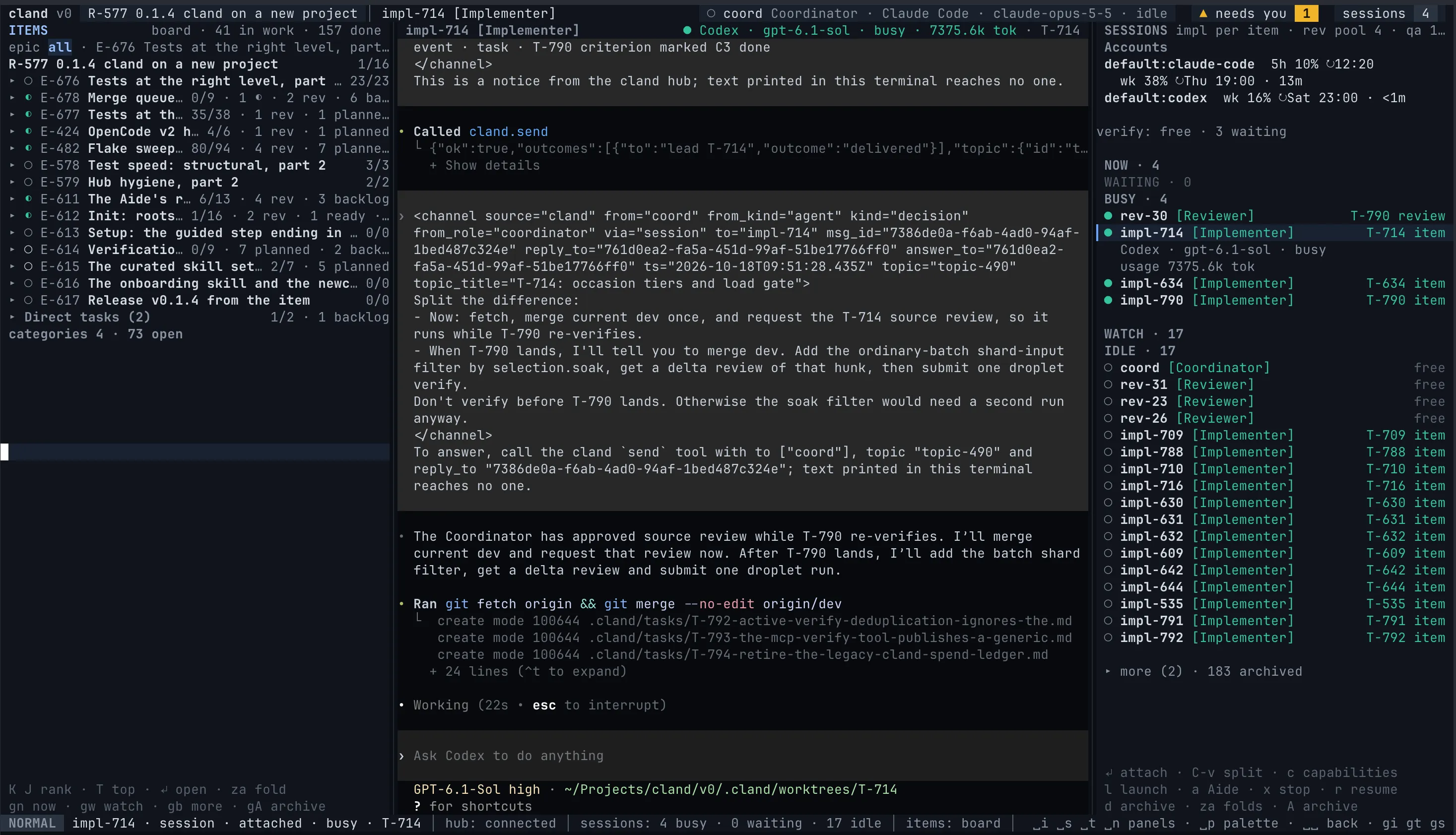
cland does not replace your harnesses. Every session the crew runs is the real claude, codex or opencode program, in its own interface, under your own login. The hub gives it a role, delivers messages into it and reads its state from the harness itself. The workbench lets you open that interface whenever you like, see exactly what the harness shows and type into it, as if you had started it yourself.
cland adds structure on top: roles, topics, the tracker, the merge gate. It never walls the harness off.
What a session is
Section titled “What a session is”A session is one running instance of a harness, with its own history and working state.
- It has a name, such as
impl-42,rev-1oraide-1, and at most one role. - It runs under one account, one of your harness logins, for its whole life. See Accounts and limits.
- Its state comes from the harness, never from what the model says:
busy,idle,waiting for humanorwaiting for approval. - An Implementer works in its task’s worktree, on the task’s own branch, so parallel tasks never share a checkout.
- You can write to it from any topic by mentioning it,
@impl-42, from the terminal, the browser or the phone. See Topics and the inbox.
The sessions panel
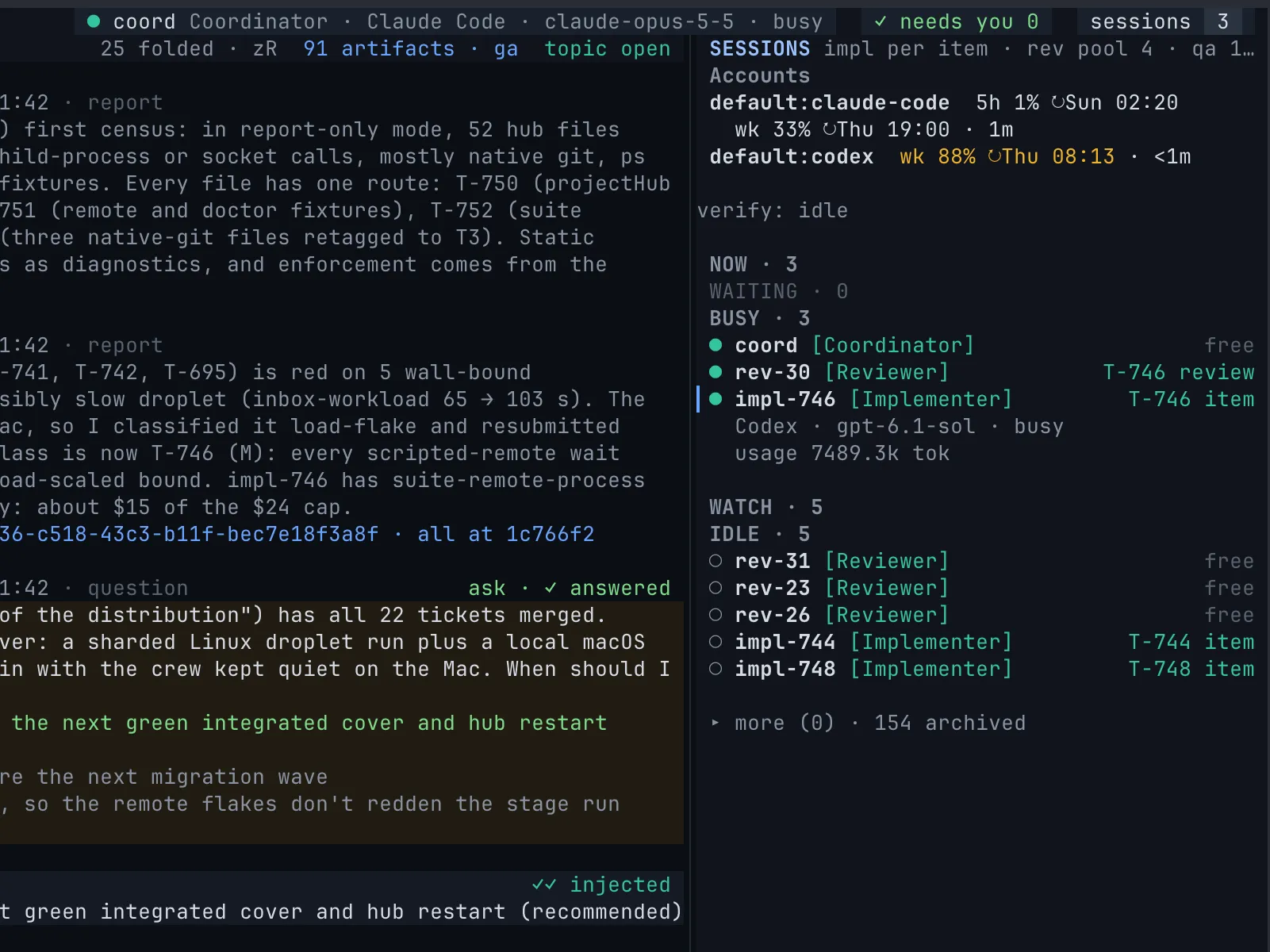
Section titled “The sessions panel”␣s opens the sessions panel. The Accounts block comes first, with each account’s usage windows, then the verification queue line, then the sessions grouped as yours (your Aides), waiting, busy and idle. Stopped sessions fold under more (N). The selected row expands to its harness, model, account, state and usage, and to the command a pending approval waits on.
| Key | What it does |
|---|---|
Enter |
Attach the session’s terminal in the centre. |
C-v |
Attach it in a split beside the centre. |
l |
Launch a session. |
a |
Launch an Aide (␣A from anywhere). |
x |
Stop the session, after a confirmation. |
r |
Resume a stopped session on its harness conversation. |
d |
Archive a stopped session. A shows the archive. |
c |
Show what the harness adapter reports reliably. |
Attach to a session
Section titled “Attach to a session”Enter on a session row attaches its terminal in the centre of the workbench; C-v attaches it in a split, so the thread and the harness sit side by side. You see exactly what the harness shows, and you can type into it: answer the harness’s own question, correct the agent mid-task, or anything else you would do in that harness started by hand.
C-\leaves terminal mode.Escalways goes to the harness.C-hC-jC-kC-lmove focus out of the terminal to the next panel.- Closing the terminal ends only the attach, never the session.
After cland setup, the workbench opens with your Aide’s terminal already in the centre: your first conversation with cland is a conversation with your own harness.
Approvals
Section titled “Approvals”When a harness stops for an approval, the session shows in the inbox and sessions panel as waiting. Codex and OpenCode approvals with a relay can be answered directly in Neovim’s inbox: 1 approves once, 2 selects the offered always choice, and d denies with an optional note. Enter opens the approval details. Rows marked answer in Neovim attach to the harness instead.
In the web workbench, Codex and OpenCode approvals with a relay can also be answered from the page; unavailable relays stay in the harness. Claude Code’s are marked answer in Neovim: attach to the session to answer.
From any terminal
Section titled “From any terminal”Outside the workbench, print the attach command for a session and run it yourself:
cland session attach impl-42cland setup --attach runs it for your Aide in the same terminal, on a machine without the workbench.
In the browser
Section titled “In the browser”In the web workbench and on the phone, a session is its thread: what the hub knows about it, its messages and a composer to write to it. A message to a busy session is queued and shown as queued, with Withdraw to take it back. On the phone, Stop, Resume and Archive live on the session’s own page, behind a confirmation.
The harness’s own interface does not run in the browser. To watch the harness or type into it, attach from the terminal workbench or with cland session attach.
Launch, stop and resume
Section titled “Launch, stop and resume”The Coordinator and your Aide launch sessions as the work needs them. You can also launch one yourself, with l in the sessions panel or from a shell:
cland session launch impl-43 --role implementer --item T-43cland session launch rev-deep --role reviewer --harness claude-code --model opus--item starts the session in the task’s worktree with its claim. --harness, --model, --effort, --account and --brief override the role’s settings for this one launch. See Crew configuration for the role’s own settings.
| Command | What it does |
|---|---|
cland session list |
Sessions with role, harness, model, account, state and item. |
cland session stop <name> |
Stop the session through its harness. |
cland session resume <name> --relaunch |
Restart it on its harness conversation, keeping its name, role and claim. |
cland session resume <name> --fresh |
Start a new conversation with its recorded brief. |
cland session archive <name> |
Archive a stopped session. |
Your Aide
Section titled “Your Aide”An Aide is a session that works for you alone. It holds no crew duty, is addressed by name only and speaks for you, decisions included: it can create and change items, write to any session, and launch, stop or resume sessions on your word. It never merges, releases or sends decision asks; you can talk directly in its harness, including during onboarding. Launch one with a in the sessions panel or ␣A from anywhere; the default Aide staffing policy has no size cap.